
The red pencil
Ten things it crosses out.
Each one alone looks like a choice. Three together and the page reads as made by AI. The skill checks all ten on the full page before anything ships.
- Purple-to-blue gradients
- A serif title by default
- Grid and dot backgrounds
- Three generic benefit cards
- Emoji in the copy
- Glow on everything
- Hero, cards, testimonials, FAQ
- Thin generic icons
- Nothing moving
- 01 / 02 / 03 on things with no order
How it works
It asks before it draws.
A fixed flow with three stops. At each one the agent waits for you.
Discover the tools
Lists the skills, MCP servers and browser it has, and what's missing, with the install command. Nothing gets installed without a yes.
The brief
Four questions, with options to click: a real object for the palette, one feeling, two influences to collide, what it must never look like. The cost of the mockups comes in the same message.
Stop · you answerResearch the niche
Real sites, split into what visitors expect (kept) and what everyone repeats (avoided).
Three directions
Gray skeletons for phone and desktop, and a colored mockup each: the best of the niche, one that breaks it, one from outside it. Each with its logo, favicon and motion.
You choose
One question: which of the three, or what to mix.
Stop · you chooseWrite it down
The direction becomes a file: palette, fonts, the wildcard element, the motion. It is the contract for the build.
Build
Half the effort on the first screen, with the motion the direction asked for.
Review, then you judge
Full-page screenshots at 1440 and 390 px, the ten tells, a design critique, forms, contrast. Nothing is published before you say so.
Stop · you judge
The proof sheet
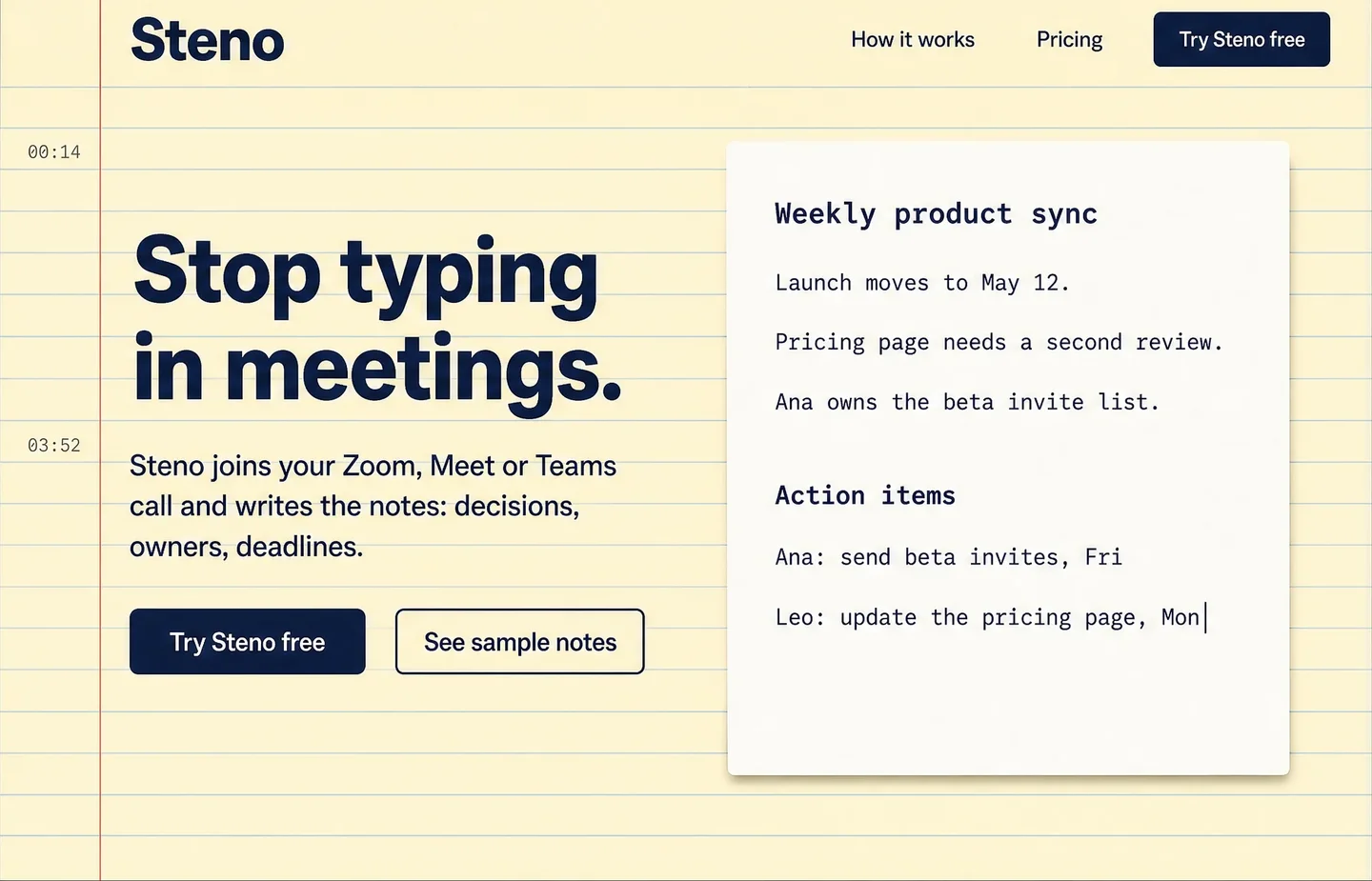
From the prompt to Steno.
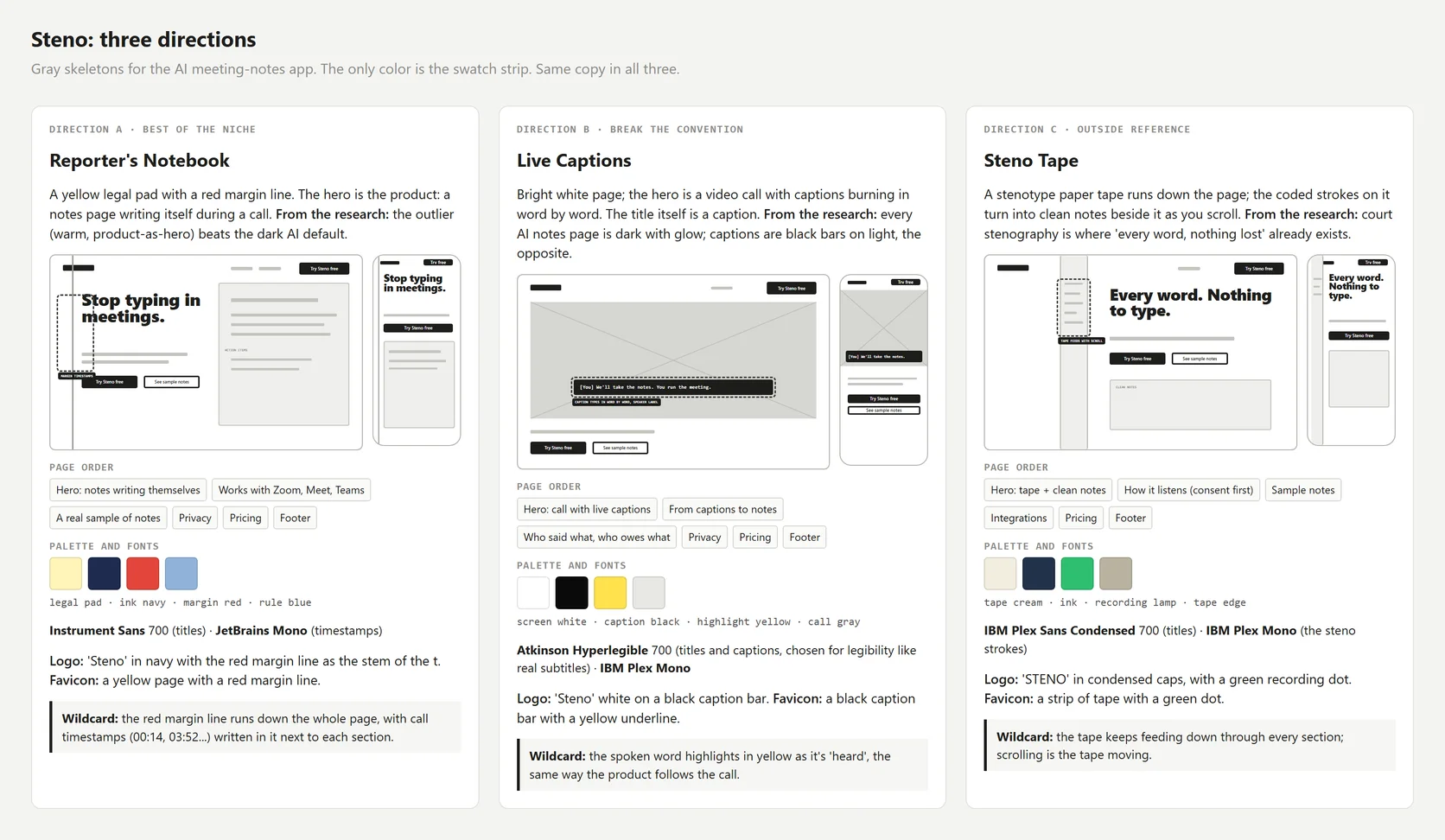
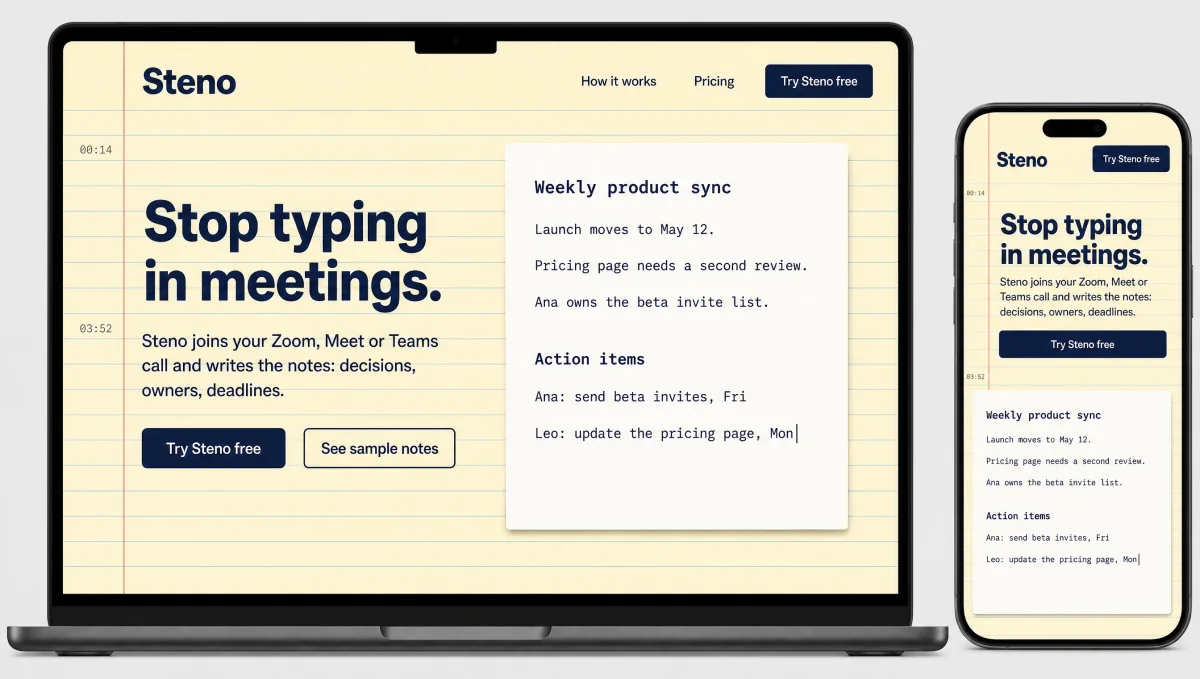
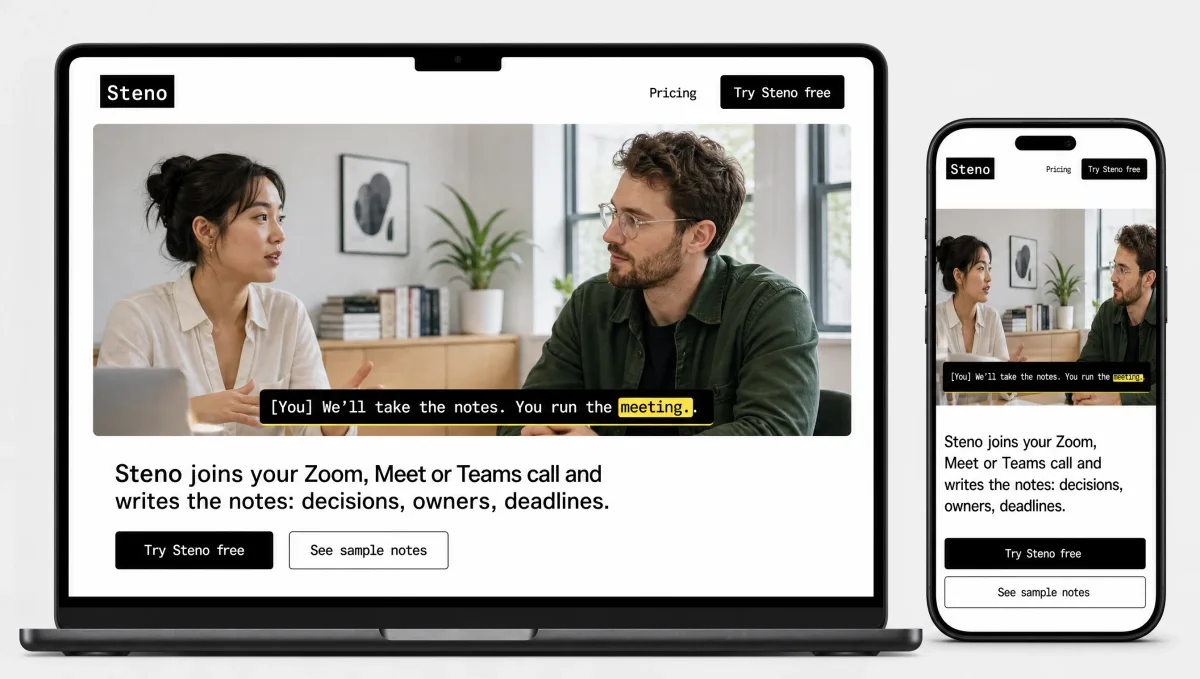
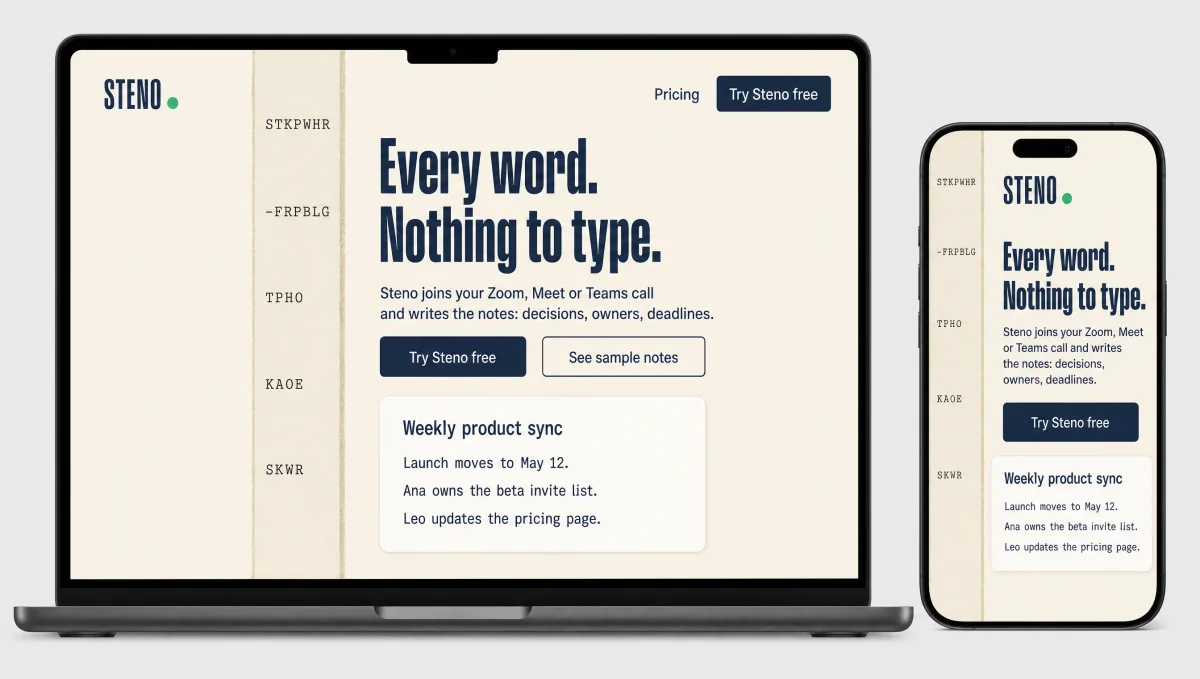
Every file, from the brief to the mockups, is in examples/, including the untouched normal-agent output for comparison.
The vault
Why an Obsidian vault.
An agent forgets everything when a session ends. The vault is where it keeps what it learned, so the next session starts from there.
Without a memory, the agent makes the same mistakes again, ships the same look again and asks the same questions. The vault is a folder of plain Markdown: the agent reads it at the start of each session, and writes to it when something goes wrong or right.
Obsidian is recommended, not required, for three reasons:
- You can read and edit the rules by hand. Every rule is one line in a note you can open, change and search.
- The links show the history. A mistake points to the rule it became, and the rule points to the project where it was learned.
- It is plain Markdown. Any agent can read it, and it goes into git like any other folder.
Claude Code can also re-inject the rules after the context is compacted, so a long session doesn't lose them (optional hook).
90 System/Agent rules.mdEvery rule in force, one per line. The only file read every session.90 System/Mistakes.mdWhat went wrong, with the one-line rule it became.90 System/Wins.mdWhat you praised, turned into a pattern for the next project.10 Notes/The brief, research, skeletons, anti-patterns and design rules.20 Projects/One note per project, so the same style is never shipped twice.
Setup: copy vault/, open it in Obsidian with "Open folder as vault", and run your agent inside that folder. Details in vault/README.md.
Install
Two skills. Pick your agent.
Claude Code
npx skills add JouberthAlves/super-webdesigner -g -a claude-codeCodex
npx skills add JouberthAlves/super-webdesigner -a codexCursor
npx skills add JouberthAlves/super-webdesigner -a cursorWindsurf
npx skills add JouberthAlves/super-webdesigner -a windsurfKiro
npx skills add JouberthAlves/super-webdesigner -a kiro-cliQoder
npx skills add JouberthAlves/super-webdesigner -a qoderAntigravity
npx skills add JouberthAlves/super-webdesigner -a antigravityGitHub Copilot
npx skills add JouberthAlves/super-webdesigner -a github-copilotAny other agent
No skill support? Add one rule: "for any site or UI, read skills/super-webdesigner/SKILL.md and follow it."
With Claude Code, ask for a site the way you always do. The skill takes it from there.